Our platform
The Bastion Data Platform
A comprehensive, open-source data management solution that puts you in the driver's seat — from raw database to polished insight.
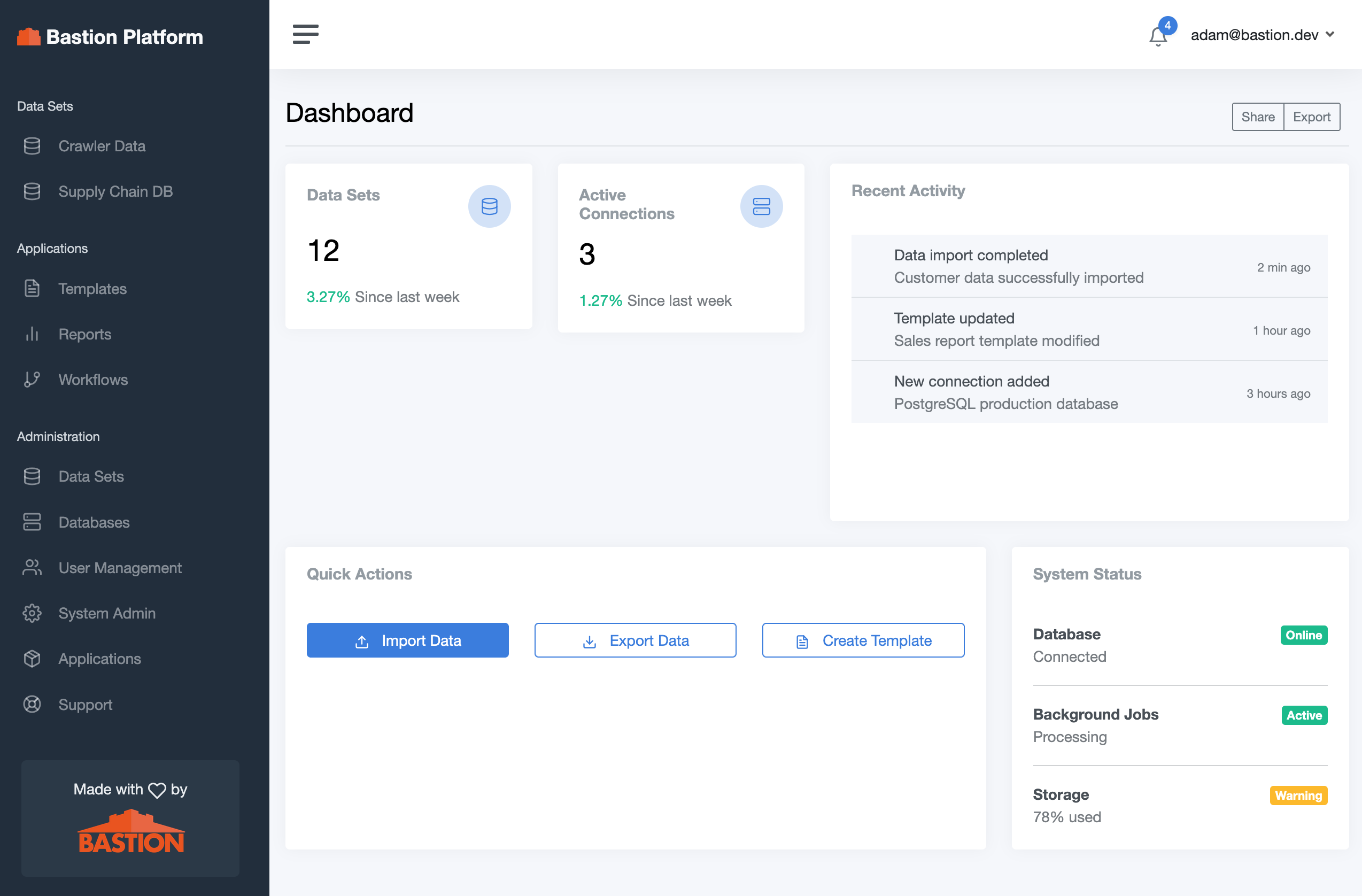
Core product
Bastion Platform
A full-stack data management application that connects directly to your relational databases and gives your team everything they need to manage, analyze, and share data — without writing code.
Multi-Database Management
Connect to multiple PostgreSQL databases from a single interface. Manage connections securely with encrypted credentials and switch between data sources instantly.
Dataset Editing & Reporting
Define datasets with configurable column editors, validation rules, and join models across multiple tables. Edit data directly in the browser with inline validation and change tracking.
AI-Assisted Analysis
Ask questions in plain English and get instant SQL queries, chart recommendations, and pattern recognition powered by an integrated AI agent — no SQL expertise required.
Excel Import & Export
Import data from Excel workbooks using configurable templates with validation and preview. Export any dataset or query result back to Excel with custom formatting templates.
Enterprise Security
Role-based access control with granular permissions per dataset and table. Secure data sharing via links, SSO support, and full audit trails keep your data protected.
API & Custom Apps
A RESTful API lets you integrate Bastion with any external system. Deploy custom React applications directly on the platform and use the built-in CMS to publish public-facing data and reports.
Fully managed with automatic updates, backups, and support. Get started in minutes with zero infrastructure work.
Deploy to your own private cloud or internal network. Full control over your data, security policies, and upgrade schedule.
Included module
DB Reporter
An agentic visualization tool built into the platform. Describe what you want to see in plain language and DB Reporter writes the SQL, picks the right chart type, and renders it — instantly.
How it works
- Ask a question — type a plain-English request like "Show me monthly signups by region for the last year."
- AI selects the visualization — the agent picks the best chart type (bar, line, map, funnel, etc.) and extracts the relevant parameters.
- SQL & chart are generated — a PostgreSQL query and an ECharts configuration are produced automatically, with up to 3 self-correcting retries on error.
- Results render live — query results are injected client-side and the chart renders immediately. Your data never leaves your infrastructure.
Supported visualization types
Included module
Templated Import & Export
Move data in and out of your databases using configurable Excel templates — with validation, preview, and a full audit trail built in. No custom scripts, no data surprises.
Excel Import & Export
Define reusable import and export templates tied to your Excel workbook structure. Map sheets and columns to database tables, support parameterized queries, and let users upload or download data without touching SQL.
Pre-Import Validation & Cleanup
Every import is validated against your schema constraints before a single row is written. Errors are surfaced row-by-row with clear messages so users can fix issues in the source file and re-upload — no partial imports, no silent failures.
Historical Import Log
Every import is recorded with its status, timestamp, change preview, and any errors encountered. Browse the full history of what was imported, by whom, and what changed — giving you complete traceability for compliance and debugging.
Data Versioning
Before and after snapshots are stored for every import operation. Compare what changed, roll back to a previous state, and maintain a reliable record of your data's evolution over time.
Included module
Data Dictionary Manager
Keep your data model documented, discoverable, and up to date — automatically. From schema browsing to API generation, the Data Dictionary Manager turns your database into a self-describing, well-governed asset.
Data Model Maintenance
Define and update your database data model directly in the platform. Add display names, descriptions, validation rules, and editor configurations to tables and columns without touching migration files or raw SQL.
Data Model Browsing
Explore your connected databases visually — browse tables, views, materialized views, and their relationships in one place. Quickly understand schema structure, column types, and join paths without leaving the browser.
Automatic Documentation
Documentation is generated directly from your live schema and the metadata you maintain in the platform. Column descriptions, types, constraints, and relationships are always current — no separate docs to maintain or drift from reality.
Data Management & APIs
Every dataset you define is automatically backed by a RESTful API. Integrate your data with external applications, automate data pipelines, or build custom front-ends — all governed by the same role-based permissions as the platform UI.